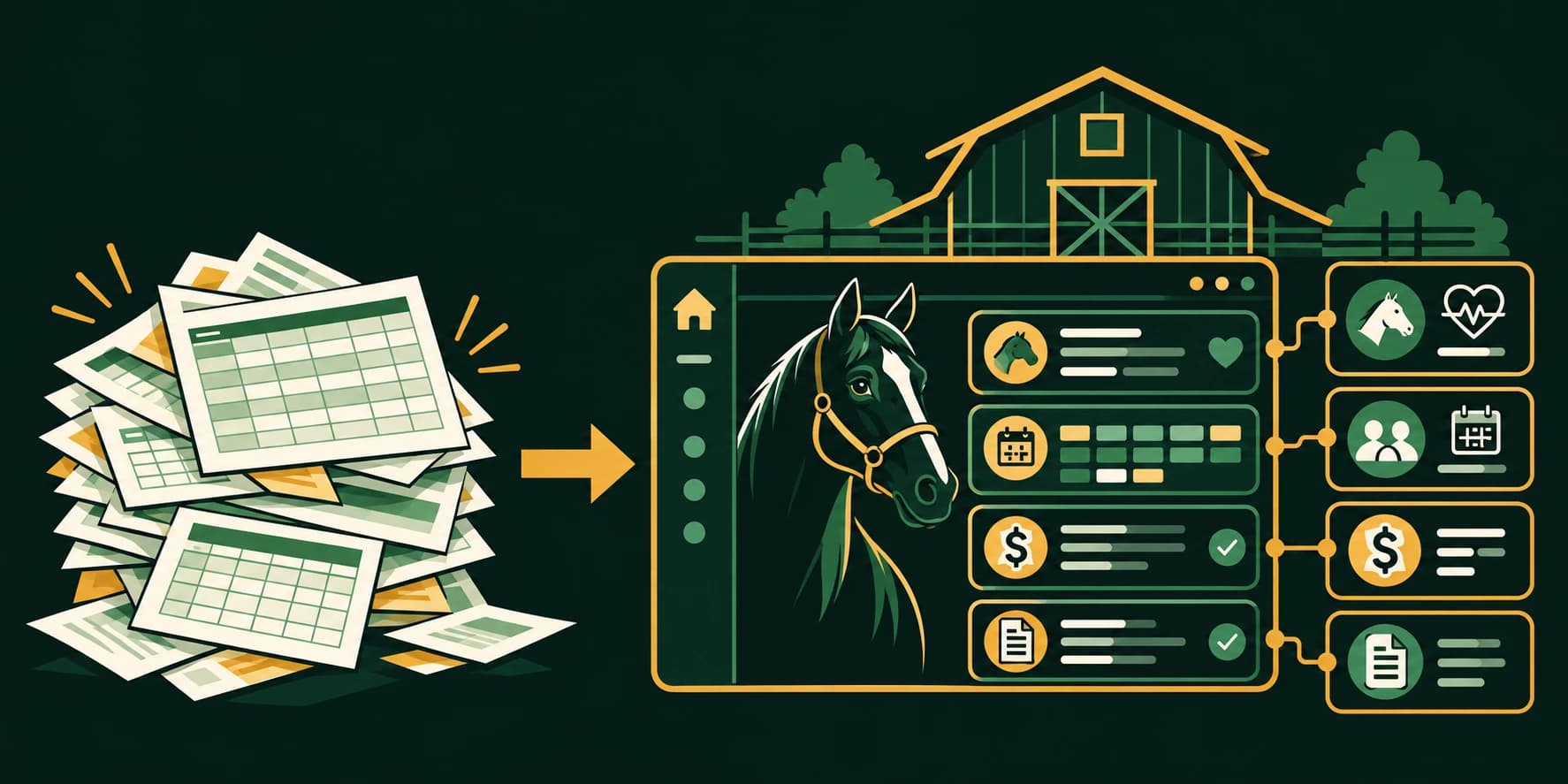
“I have a spreadsheet for horses, another for billing, and a third one nobody wants to admit is the real schedule.”
If that sounds familiar, you are not alone. Spreadsheets can be useful when a facility is small, the workflows are simple, and one person manages most of the information. They are inexpensive, flexible, and easy to start.
But barn operations rarely stay simple.
More horses bring more care instructions. More clients bring more invoices and service charges. More staff bring scheduling questions, missed updates, and a need to know what happened, when it happened, and who handled it.
That is where barn management software becomes a practical alternative.
The question is not whether spreadsheets can store information. They can. The question is whether they can reliably connect horse care, staff activity, scheduling, documents, communication, and billing as your facility grows.
The short answer
Spreadsheets may be sufficient for a small private barn with limited billing, few users, and straightforward routines.
Dedicated barn management software is usually the better fit when you need to:
- Track care by horse, date, time, and staff member
- Coordinate multiple employees, shifts, and assignments
- Store searchable medical records and signed documents
- Capture billable services close to when they happen
- Connect care activity directly to invoices
- Review staff time with timestamp and location context
- Give different users appropriate access
- Manage operations from a phone in the barn aisle
Spreadsheets record information. Barn management software connects workflows.
Spreadsheets work, until the gaps become expensive
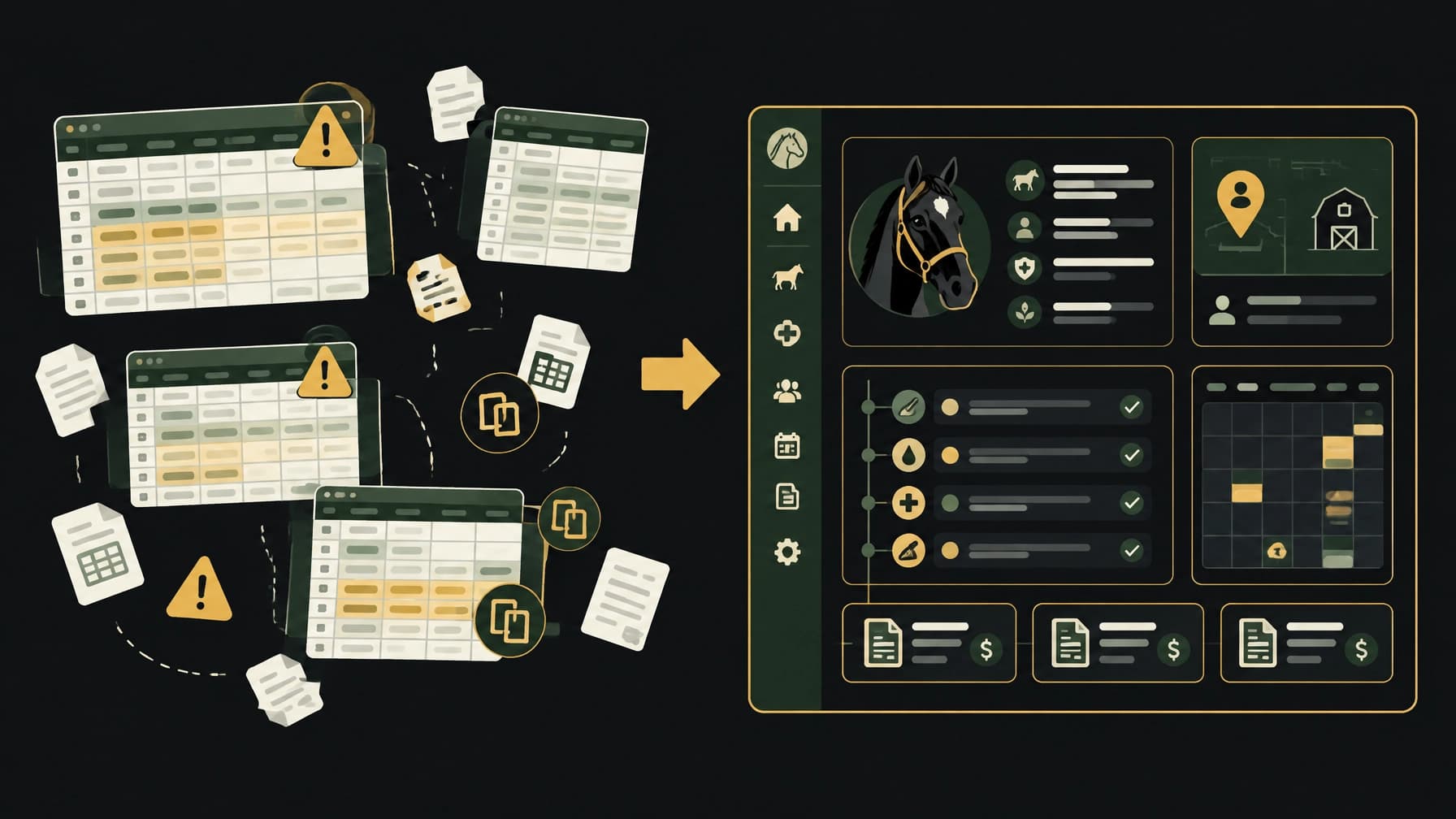
A spreadsheet is not automatically a bad system. It becomes a problem when it requires too much memory, manual entry, and cross-checking to keep the operation running.
“I forgot to bill for that extra service.”
Blanketing, fly spray, training rides, trailer storage, supplements, and other add-ons may be completed during daily work. If those services are tracked in a separate notebook, text thread, or staff memory, they can be missed during invoicing.
The operational response is to capture billable activity close to the work. With BarnOps Command, service charges, boarding packages, lesson billing, and invoices are connected to the same system used for daily operations.
The practical outcome: fewer separate lists to reconcile and less revenue dependent on someone remembering what happened three weeks ago.
“Which version of the care plan is current?”
A spreadsheet can hold feeding instructions, medications, supplements, and turnout notes. The difficulty is keeping those instructions current and visible to the right people.
A horse's profile may be updated in one file while a printed care sheet remains in the tack room. A staff member may have a newer note in a text message. The information exists, but it is fragmented.
Horse management software gives each horse a central profile with care history, medical records, feeding plans, supplements, medications, documents, and activity history. BarnOps also connects those records to feeding rounds and treatment logs.
The practical outcome: staff review one current record instead of searching through files and messages.
“Did the task actually get completed?”
A spreadsheet checkbox can show that someone marked a task as complete. It may not show when the task was completed, who completed it, or whether the entry was made later from memory.
BarnOps uses timestamped and attributed care records for feeding, medication administration, wound care, and other operational activity. GPS staff time tracking can capture clock-in and clock-out time along with location evidence, site, distance, and accuracy context, depending on the barn's configuration and policies.
That location evidence supports review. It is not absolute proof of physical presence. The distinction matters.
The practical outcome: fewer disputes and a clearer operational record.
Compare the systems directly
| Operating area | Spreadsheets | Barn management software |
|---|---|---|
| Horse records | Information is entered into custom rows, tabs, or files | Structured horse profiles with care history, documents, medications, feeding, and activity |
| Care tracking | Checklists and notes depend on consistent manual updates | Timestamped, staff-attributed feeding and treatment logs |
| Billing | Services may be tracked separately and re-entered later | Billable activity can connect directly to invoicing and payments |
| Staff accountability | Basic checkboxes with limited context | Time records, task completion, timestamps, and configurable GPS location evidence |
| Scheduling | Often split across sheets, calendars, and messages | Shared scheduling for shifts, lessons, arenas, appointments, and vendors |
| Documents | Files may live in folders, email, or paper binders | Centralized digital forms and E-sign Vault |
| Communication | Texts, email, and informal updates | Role-based chat and facility announcements |
| Access | File-sharing permissions vary by setup | Role-based portals for owners, managers, staff, trainers, instructors, and boarders |
| Seasonal care | Weather and blanket decisions are often manual | BlanketOps provides weather-driven guidance and status tracking |
| Scaling | More tabs, formulas, and maintenance | One platform designed for unlimited horses and users on a flat monthly plan |
The difference is not that one system contains rows and the other does not. The difference is how much manual coordination sits between one workflow and the next.
Connected workflows reduce re-entry
The strongest reason to move from spreadsheets to equine management software is connection.
A care record should not be isolated from the horse profile. A staff assignment should not be isolated from the schedule. A completed service should not be isolated from billing.
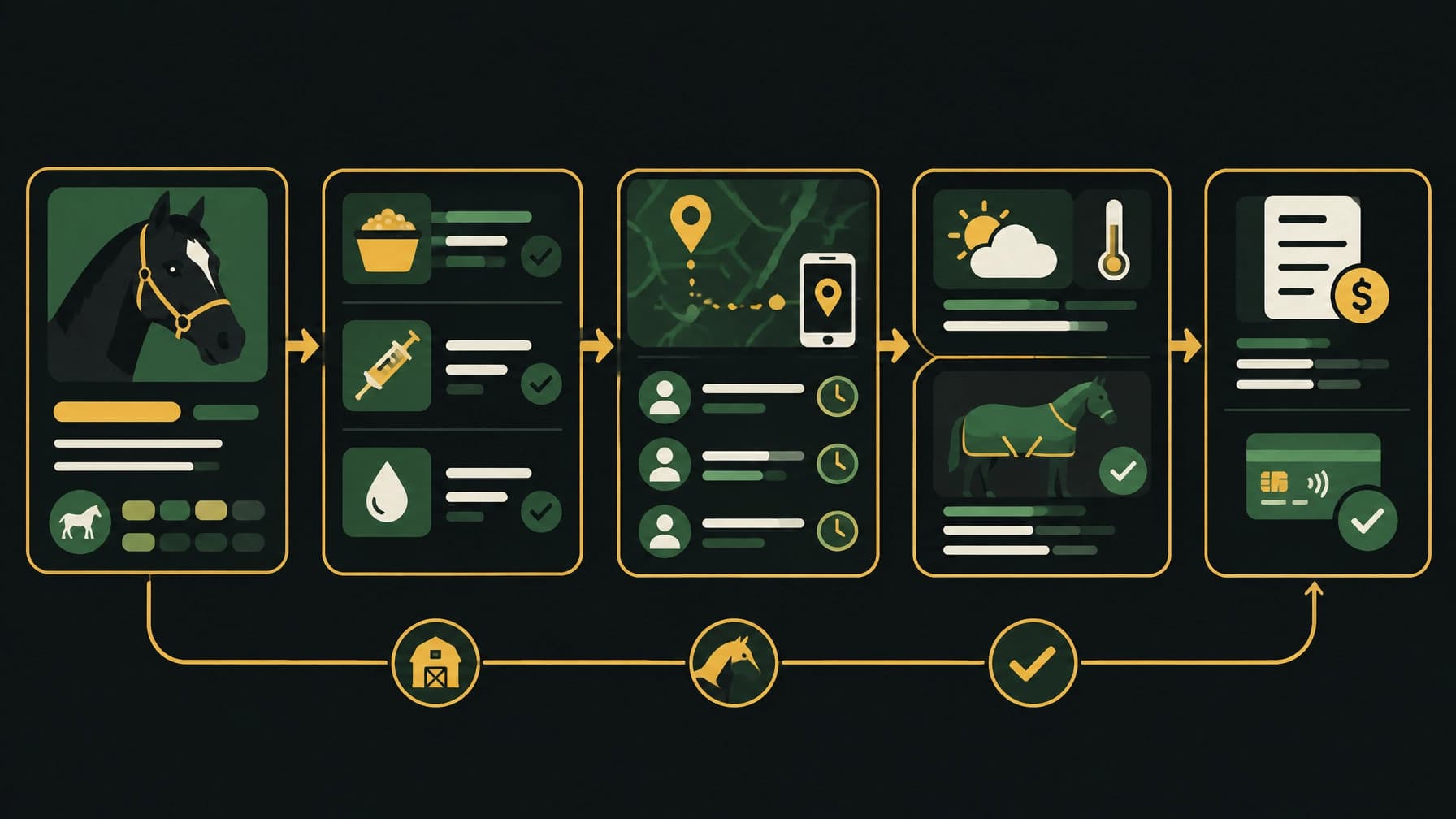
In a connected workflow:
- A horse has a current profile and care plan.
- Staff see the assignment in the appropriate operational view.
- Feeding, medication, or treatment is recorded with time and attribution.
- Managers can review completion history.
- A chargeable service can move into the billing workflow.
- The client sees the appropriate information through their role-based access.
That is the difference between recording work and running a documented operation.
What purpose-built barn management software adds
BarnOps is designed to connect horse management, business management, and daily barn operations in one platform. It is available on web, iOS, and Android.
The relevant capabilities are practical:
1. Horse management
Horse profiles hold identity details, medical logs, feeding plans, supplements, medications, documents, incidents, and care history. See the full overview of connected horse care records.
2. Daily care workflows
Feeding rounds and treatment logs create a record of what was entered, when it was entered, and who recorded it. Pasture, hay, water, turnout, incident, and away-status workflows keep routine work visible.
3. Staff accountability
Create recurring shifts and daily assignments. Use mobile time tracking with configurable GPS location evidence. Review operational activity without relying only on verbal updates or group messages.
4. Weather-aware care
Blanket decisions are often made early, late, and sometimes while someone is already asking in a text thread. BlanketOps provides live weather-driven guidance, blanket status tracking, and a 24-hour forecast view.
5. Documents and forms
Store Coggins records, liability waivers, onboarding packets, boarding agreements, and electronic contracts in one searchable E-sign Vault. No more hunting through binders when a signed document is needed.
6. Scheduling and communication
Use a shared calendar for lessons, arena reservations, clinics, appointments, and vendor visits. Role-based chat and announcements keep updates in the system rather than scattering them across personal phones.
7. Billing connected to work
BarnOps Command adds boarding package management, recurring board, lesson and trainer billing, service charges, invoices, payment tracking, and Stripe-connected payments. Review boarding and equine billing features.
When spreadsheets may still be enough
A spreadsheet may be a reasonable choice if all of the following are true:
- You manage a small number of horses
- One or two people maintain the records
- Billing is limited and straightforward
- Care routines rarely change
- You do not need staff time or location evidence
- Documents are easy to find
- You do not need clients or boarders to access information
- Manual reminders and reconciliation are manageable
That is a valid operating model. Not every barn needs a comprehensive platform.
The decision changes when spreadsheets begin creating repeated work: copying services into invoices, checking multiple care lists, answering “who did that?” questions, searching for documents, or rebuilding schedules every week.
At that point, the subscription cost is only one part of the comparison. You also need to consider missed charges, administrative hours, preventable disputes, and the time spent maintaining the spreadsheet system itself.
A simple decision checklist
Ask these questions about your facility:
If you checked only one or two boxes, a spreadsheet may still be adequate.
If you checked several, your facility is already managing the type of connected workflows that barn management software is built to handle.

BarnOps pricing: clear and flat
BarnOps uses two plans:
BarnOps Core: $79/month
The operational foundation for horse care, staff scheduling, time tracking, digital records, forms, communication, daily workflows, and more.
- Unlimited horses
- Unlimited users
- Web, iOS, and Android access
- Horse profiles and care history
- Staff schedules and mobile time tracking
- Feeding and treatment logs
- BlanketOps and FlyOps
- Digital forms and e-signatures
- Calendar, pasture, hay, water, and incident workflows
BarnOps Command: $99/month
Everything in Core, plus:
- Boarding billing and package management
- Lesson, instructor, and trainer billing
- Service charges
- Invoices and payment tracking
- Stripe-connected payments
- Revenue tied directly to barn activity
Both plans include a 14-day free trial. A card is required at signup, but it is not charged during the trial. If you cancel before the trial ends, you are not billed. Subscriptions renew automatically each month until canceled. Subscriptions are non-refundable, and access continues through the paid period after cancellation. You can export your data before cancellation.
There are no setup fees, per-user fees, or per-horse pricing tiers.
The practical verdict
Spreadsheets are flexible tools. They may be enough for a small, simple operation with limited coordination.
But when your facility needs documented care, visible staff activity, connected billing, searchable records, role-based access, and mobile workflows, a dedicated barn management software platform provides more control with less manual re-entry.
Start with the operational foundation in BarnOps Core. Move to Command when you want billing and payments tied directly to the work your facility already records.
Bring horse care, business management, and daily operations into one place.